Obsidian + Claude, finally connected.
Your vault holds your notes. Claude can read files. Minibase is the missing piece — it clips any webpage to clean Markdown, straight into Obsidian, so Claude finally reads your research, not just the current chat.
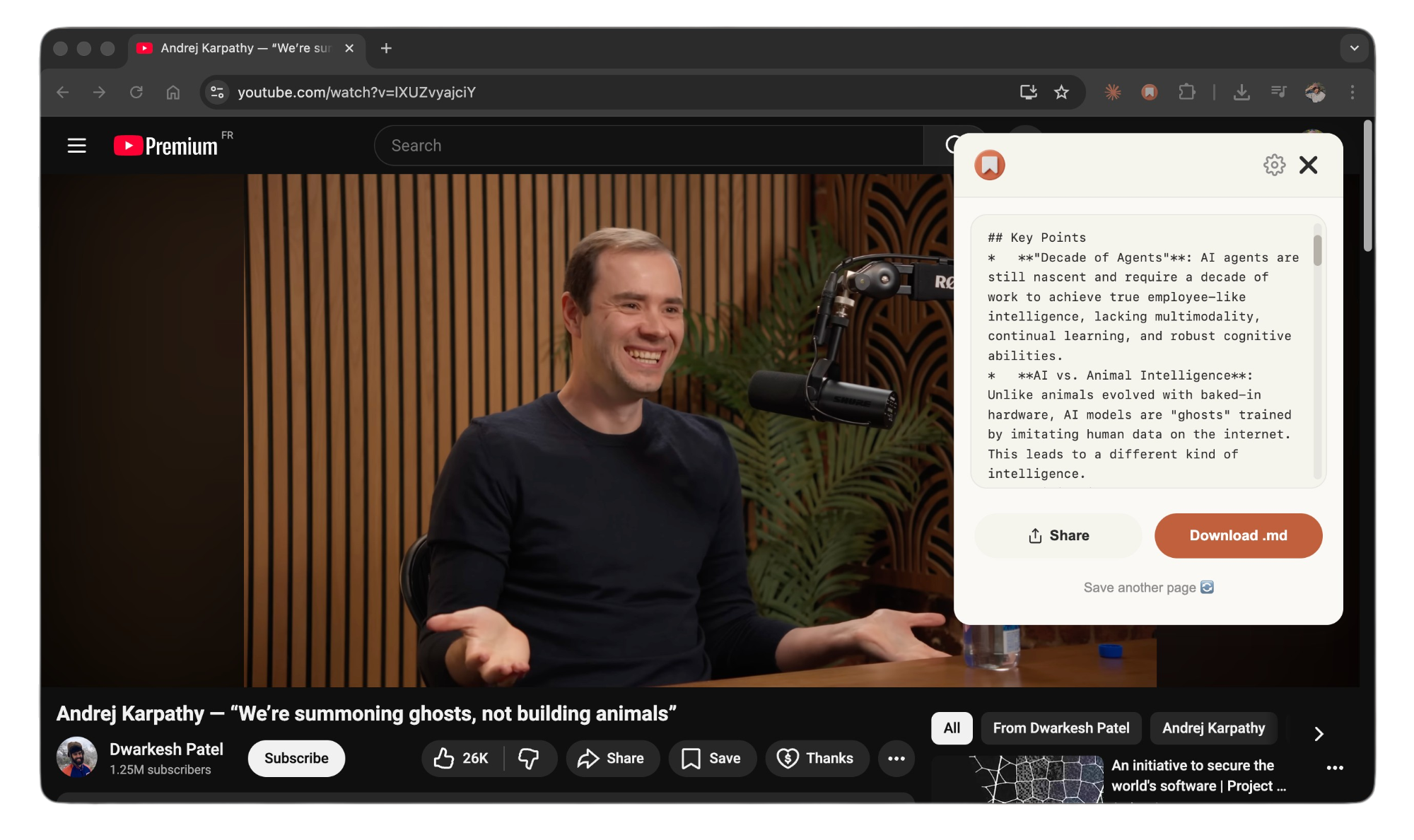
Claude is only as smart as your vault.
Obsidian stores everything as plain Markdown files. Claude Code can read any folder you point it at. Together they make the second brain Andrej Karpathy described — a personal wiki an AI can actually research across.
But there's a catch: most vaults only contain what you typed yourself. Your best knowledge is scattered across the web — articles, YouTube videos, threads, docs. It never makes it into the vault, so Claude never sees it.
Minibase closes that gap. One click turns any page into clean Markdown and drops it into your vault. The more you clip, the smarter Claude gets — grounded in your curated research, not generic training data.
Web → Obsidian → Claude
Clip any page
Click Minibase on any article, video, or thread. It strips the ads and clutter and gives you clean Markdown.
Lands in your vault
The .md file drops into a folder inside your Obsidian vault, with frontmatter — instantly a searchable note.
Ask Claude
Run Claude Code in your vault, or connect via MCP, and query everything you’ve ever saved at once.
Point Claude at your vault
Claude Code reads your vault folder directly. For Claude Desktop, add the filesystem MCP server pointed at the same folder — then Claude can read every clipped page on demand, in any conversation.
{
  "mcpServers": {
    "obsidian-vault": {
      "command": "npx",
      "args": ["-y",
        "@modelcontextprotocol/server-filesystem",
        "~/obsidian-vault"]
    }
  }
}
“I built Minibase because my Obsidian vault was full of notes but empty of everything I’d read online. Now every article I clip is something Claude can actually reason over. That’s the whole second-brain promise, finally working.”
Obsidian + Claude, answered
How do I connect Obsidian to Claude?
Obsidian stores everything as Markdown files in a folder. Claude Code can read any folder you point it at — just run `cd /path/to/your-vault && claude`. For Claude Desktop, add the filesystem MCP server pointed at your vault. Either way, Claude can then search and reason across every note.
Does Minibase work with Obsidian?
Yes. Minibase converts any webpage to clean Markdown and writes it into a folder you keep inside (or symlinked into) your Obsidian vault. Every page you clip instantly becomes a searchable Obsidian note — and something Claude can read.
Does this work with both Claude Code and Claude Desktop?
Both. Claude Code reads your vault folder directly. Claude Desktop reads it through the filesystem MCP server. Minibase also ships its own MCP server for direct access to your clipped pages.
What can Minibase capture?
Articles and blog posts, full YouTube transcripts, X/Twitter threads, Reddit discussions, documentation and API references, academic papers, and e-commerce pages. Each one becomes a clean .md file ready for Obsidian and Claude.
Is Minibase free?
Minibase is free with unlimited saves. Minibase+ ($5.99/month or $34.99/year) adds AI templates, saved history, video transcription, and 300+ site-specific prompts.
Do I need the Minibase Vault app too?
No — the Minibase browser extension is all you need to clip pages into your Obsidian vault. The Minibase Vault desktop app (Mac & Windows) is optional and helps manage and search your local Markdown library.
Go deeper: the full setup guide · building an AI second brain
Fill your vault. Wake up Claude.
Free with unlimited saves. AI templates, history and video transcription on Minibase+ from $34.99/year.
 Add to Chrome — it's free
 no account · clean Markdown · your vault, local